




How to Access Prime Video Free: Your Expert Guide to Streaming Without Cost
Accessing a vast library of movies, TV shows, and exclusive content without incurring additional costs is a significant advantage for many streamers. The concept of Prime Video free content often sparks questions: Is it truly free? What content is included? How can I find it? This guide clarifies the various avenues available to enjoy Prime Video’s extensive offerings without direct payment, providing an expert perspective on maximizing your streaming experience.
Understanding the nuances of what constitutes Prime Video free access is key. Whether you’re an Amazon Prime subscriber, exploring ad-supported options, or leveraging promotional offers, there are multiple ways to engage with high-quality entertainment. We will explore these methods, offering practical steps and insights to help you navigate the platform efficiently and discover a wealth of content.
Understanding Prime Video Free: What Does It Really Mean?
The term Prime Video free can refer to several distinct scenarios, each offering access to content without an explicit per-title purchase or rental fee. It’s crucial to differentiate between content that is ‘included’ as part of a broader subscription and content that is genuinely free for anyone to watch, regardless of their Amazon account status.
Included with Amazon Prime Membership
For millions globally, the most common way to access Prime Video free content is through an Amazon Prime membership. This comprehensive subscription service, primarily known for expedited shipping, bundles a significant portion of the Prime Video library as a core benefit. Members gain unlimited streaming access to thousands of movies, TV series, and Amazon Originals at no extra charge beyond their Prime subscription fee. This inclusion adds substantial value, transforming a shipping service into a robust entertainment platform.
Amazon Freevee: A Truly Free, Ad-Supported Option
Amazon Freevee (formerly IMDb TV) represents a distinct pathway to Prime Video free content. This ad-supported streaming service is integrated within the Prime Video app and website, but it operates independently. Crucially, Freevee offers a diverse library of movies and TV shows that are completely free to watch for anyone with an Amazon account, even without an active Prime membership. Its content model relies on advertisements, making it a genuinely free option for all users.
Free Trials and Promotional Offers
Temporary access methods also contribute to the Prime Video free experience. Amazon frequently offers free trials for its Prime membership, which inherently includes full access to the Prime Video library for the trial duration. Similarly, specific Prime Video Channels, which are optional add-on subscriptions, often provide their own free trial periods. Furthermore, Amazon occasionally runs limited-time promotions, student discounts, or bundles with other services that can grant temporary or reduced-cost access to Prime Video content.
How to Access Prime Video Free Content: Your Step-by-Step Guide
Navigating the various options to stream Prime Video free content can be straightforward once you understand the process. Here’s how to get started with each method.
Activating Your Amazon Prime Free Trial
If you’re new to Amazon Prime, a free trial is an excellent way to experience Prime Video without immediate commitment. To activate:
- Visit the Amazon Prime sign-up page.
- Click on the ‘Start your free 30-day trial’ button.
- Follow the prompts to enter your account details and payment information. You won’t be charged until the trial period ends.
During this trial, you’ll have full access to all Prime Video content included with a standard Prime membership. Remember to set a reminder if you plan to cancel before the trial converts to a paid subscription. For more detailed guides on managing your subscriptions and tech services, consider visiting Xqviora.com.
Navigating to Freevee Within the Prime Video App and Website
Accessing Freevee’s free, ad-supported content is simple:
- Within the Prime Video App/Website: Open Prime Video. Look for a dedicated ‘Freevee’ section or channel. You can often find it listed alongside other categories or by using the search bar and typing ‘Freevee’.
- Standalone Access: Freevee also has its own dedicated app on various devices and a website (amazon.com/freevee), allowing direct access to its library without going through the main Prime Video interface.
Content on Freevee will typically be clearly marked as ‘Free with Ads’.
Identifying ‘Included with Prime’ Titles and Sections
When browsing Prime Video, it’s essential to distinguish between content included with your Prime membership and content available for rent or purchase. Look for these indicators:
- ‘Included with Prime’ Banner: Many titles will have a prominent banner or badge indicating they are ‘Included with Prime’.
- Price vs. ‘Watch Now’ Button: If a title requires payment, you’ll see options like ‘Rent Movie’ or ‘Buy Season’ with associated prices. For included content, you’ll typically see a ‘Watch Now’ or ‘Play’ button without a price.
- Dedicated Sections: Prime Video often features carousels or categories specifically labeled ‘Included with Prime’ or ‘Prime Originals’.
Always double-check the viewing options before clicking to play, especially if you are unsure, to avoid unintended charges.
What to Watch: Discovering the Best Prime Video Free Content
The range of Prime Video free content is extensive, catering to diverse tastes across its various access tiers.
Award-Winning Amazon Originals and Exclusives
A significant draw for Prime members is the robust collection of Amazon Originals. These critically acclaimed and often award-winning series and movies are exclusive to Prime Video and included with membership. Examples include:
- The Marvelous Mrs. Maisel
- The Boys
- Jack Ryan
- Reacher
- Fleabag
- The Lord of the Rings: The Rings of Power
These titles represent a substantial investment in high-quality, original programming, offering compelling narratives and production values.
Licensed Movies and TV Shows Included with Prime
Beyond originals, Prime Video’s library for members includes a rotating selection of licensed movies and TV shows from various studios. This third-party content spans genres from action and drama to comedy and documentaries. The availability of these titles can change as licensing agreements evolve, meaning the library is regularly refreshed with new additions and some titles may eventually leave the ‘Included with Prime’ selection. Keeping an eye on ‘New to Prime’ sections helps in discovering these additions.
Freevee’s Diverse Library: From Classics to New Releases
Amazon Freevee offers a surprisingly deep and varied library, making it a valuable source for Prime Video free entertainment. Its content includes:
- Classic Films and TV Series: Many beloved older movies and complete seasons of classic television shows.
- Cult Favorites: A selection of niche films and series that have garnered dedicated followings.
- Freevee Originals: The service has also begun producing its own original content, adding exclusive titles to its ad-supported roster.
- Popular Movies and TV Shows: A rotating selection of more contemporary licensed content, often including popular films and TV series that have previously aired on other networks or streaming services.
Freevee’s library is constantly updating, providing a fresh stream of content for viewers seeking quality entertainment without a subscription fee.

Maximizing Your Prime Video Free Streaming Experience
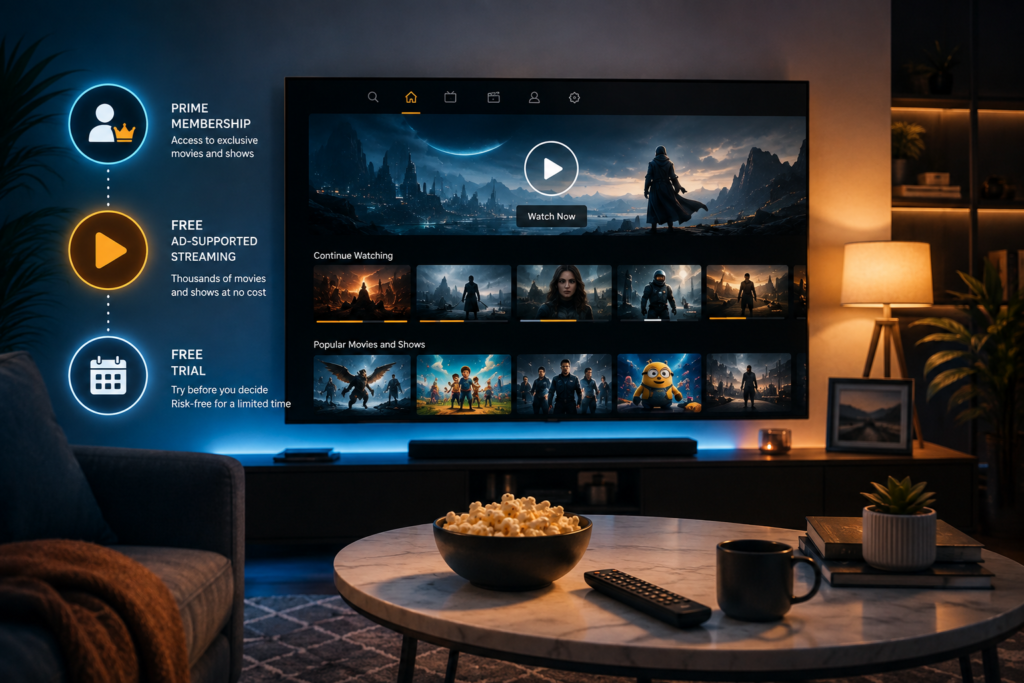
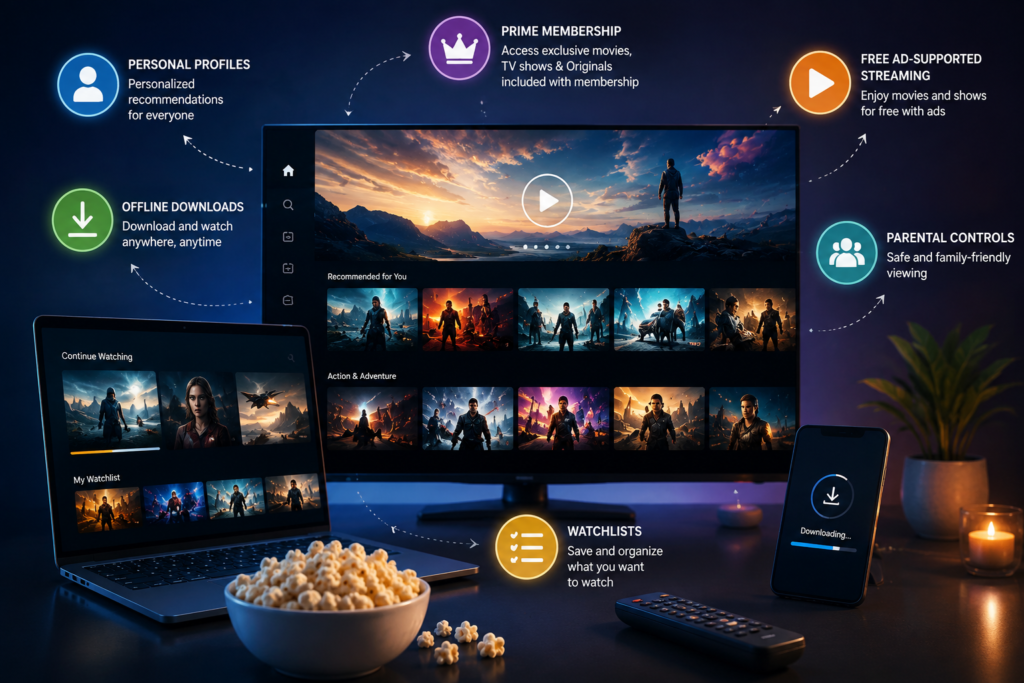
To get the most out of your Prime Video free access, consider these expert tips for an enhanced viewing experience.
Creating Watchlists and User Profiles for Personalized Viewing
Utilize Prime Video’s built-in features to organize your viewing:
- Watchlists: Add movies and shows you want to watch later to your watchlist. This helps you keep track of interesting titles and ensures you don’t forget them.
- User Profiles: Create separate profiles for different household members. This allows for personalized recommendations based on individual viewing habits and maintains distinct watch histories, preventing recommendations from being skewed by others’ preferences.
Utilizing Device Compatibility and Offline Downloads
Prime Video is accessible across a wide array of devices, including smart TVs, streaming sticks, game consoles, smartphones, and tablets. This flexibility allows you to watch your Prime Video free content wherever you are. Furthermore, for many titles included with Prime, you have the option to download them to your mobile device for offline viewing. This is particularly useful for travel or areas with unreliable internet access.
Setting Up Parental Controls for Family-Friendly Viewing
For households with children, setting up parental controls is essential. Prime Video allows you to restrict access to content based on age ratings and to require a PIN for purchases or viewing certain categories. This ensures a safe and appropriate viewing environment for all family members.
Staying Informed About New Free Additions and Removals
The content libraries for both Prime Video (included with Prime) and Freevee are dynamic. To stay updated:
- Check ‘New to Prime Video’ Sections: Regularly browse the dedicated sections within the app or website that highlight recent additions.
- Follow Official Announcements: Keep an eye on Amazon’s official blogs, social media, or entertainment news sites that report on monthly content changes.
- Set Alerts: Some third-party apps and websites specialize in tracking streaming library changes and can notify you when specific titles become available or are about to leave.
Common Mistakes to Avoid When Seeking Prime Video Free Content
While enjoying Prime Video free content is straightforward, certain pitfalls can lead to unexpected charges or missed opportunities. Being aware of these common mistakes can enhance your experience.
Forgetting to Cancel Free Trials Before They Convert
One of the most frequent issues users encounter is forgetting to cancel a free trial for Amazon Prime or a Prime Video Channel before the trial period ends. Most trials automatically convert to a paid subscription unless explicitly canceled. Always mark your calendar or set a reminder for a few days before the trial expiration date to avoid unwanted charges.
Confusing Paid Rentals/Purchases with Included Content
As mentioned, Prime Video offers a vast catalog of content available for rent or purchase alongside titles included with Prime or on Freevee. It’s easy to mistakenly click on a paid option if you’re not paying close attention to the labels. Always verify that a title is marked ‘Included with Prime’ or ‘Free with Ads’ before proceeding to watch, especially if you are not intending to pay extra.
Overlooking Freevee’s Extensive and Constantly Updating Library
Many users focus solely on the content included with their Prime membership and overlook Freevee. This is a significant oversight, as Freevee provides a completely free, ad-supported library that is often extensive and regularly updated with popular movies, TV shows, and even original programming. Actively exploring Freevee can unlock a substantial amount of additional entertainment without any subscription requirement.
Prime Video Free vs. Other Streaming Options: A Comparative Look
Understanding where Prime Video free offerings stand in relation to other streaming services provides valuable context for consumers.
Ad-Supported Free Tiers on Other Platforms (e.g., Peacock, Tubi)
Amazon Freevee is not unique in offering ad-supported free content. Services like Peacock, Tubi, Pluto TV, and The Roku Channel also provide extensive libraries of movies and TV shows at no cost, supported by advertisements. While Freevee benefits from its integration with the Prime Video ecosystem and Amazon’s content acquisition power, these other platforms often boast their own unique selections, including niche genres, classic TV, and news channels. The key differentiator for Freevee is its seamless presence within the Prime Video interface, making it easily discoverable for existing Amazon users.
Free Trials and Bundles from Competitors (e.g., Hulu, Disney+)
Similar to Amazon Prime, many other major streaming services like Hulu, Disney+, Netflix, and Max offer free trial periods for their premium, ad-free (or ad-lite) tiers. These trials typically range from 7 to 30 days, providing a temporary window into their exclusive content and licensed libraries. Additionally, some services are offered as bundles (e.g., Disney+, Hulu, ESPN+) or included with other subscriptions (e.g., certain mobile phone plans or internet packages). While these offer temporary or bundled ‘free’ access, they generally require an ongoing paid subscription after the trial, much like Prime Video’s included content with a Prime membership.
| Feature | Prime Video (Included with Prime) | Amazon Freevee | Other Ad-Supported Free Services (e.g., Tubi) | Other Premium Services (Trials) |
|---|---|---|---|---|
| Cost | Included with Prime membership | Free (ad-supported) | Free (ad-supported) | Free trial, then paid subscription |
| Content Type | Amazon Originals, licensed movies/TV | Licensed movies/TV, Freevee Originals | Licensed movies/TV, niche content | Exclusive originals, licensed movies/TV |
| Ads | Limited/None (with Prime) | Yes | Yes | No (premium tier) / Yes (ad-lite tier) |
| Offline Downloads | Yes (select titles) | No | No | Yes (premium tier) |
| Requires Prime Membership | Yes | No | No | No (but requires account) |
Frequently Asked Questions About Prime Video Free
Is all content on Prime Video free with an Amazon Prime membership?
No, not all content on Prime Video is included with an Amazon Prime membership. While a significant portion, including Amazon Originals and many licensed titles, is free for Prime members, there’s also a vast catalog available for rent or purchase. These titles are clearly marked with prices.
Can I watch Prime Video free content without an Amazon Prime membership?
Yes, you can watch content from Amazon Freevee without an Amazon Prime membership. Freevee is an ad-supported service integrated into Prime Video, offering a selection of movies and TV shows completely free to anyone with an Amazon account.
How can I tell if a movie or TV show is free on Prime Video?
Look for indicators such as an ‘Included with Prime’ banner or a ‘Watch Now’ button without an associated price. Content on Freevee will be marked ‘Free with Ads’. If you see options like ‘Rent’ or ‘Buy’ with prices, that content is not included for free.
Are there ads on Prime Video free content?
Content included with an Amazon Prime membership typically has limited or no ads. However, content streamed through Amazon Freevee is ad-supported and will include commercials.
Can I download Prime Video free content for offline viewing?
Yes, many titles included with an Amazon Prime membership can be downloaded to compatible mobile devices for offline viewing. Freevee content, however, generally does not support offline downloads.
Conclusion: Enjoying a Wealth of Entertainment with Prime Video Free
The landscape of streaming offers numerous opportunities to enjoy high-quality entertainment without constant expenditure. Accessing Prime Video free content is more versatile than many realize, extending beyond a simple Prime subscription. From the bundled value of Amazon Prime membership, which unlocks a treasure trove of Amazon Originals and licensed titles, to the genuinely free, ad-supported library of Amazon Freevee, there are options for nearly every viewer.
By understanding the distinctions between ‘included with Prime’ and ‘free with ads,’ and by leveraging free trials and smart navigation techniques, you can significantly expand your entertainment horizons. The ability to create personalized watchlists, utilize offline downloads, and implement parental controls further enhances this experience. With a strategic approach, you can tap into a wealth of movies and TV shows, ensuring that quality entertainment is always within reach through Prime Video free offerings.
